Opened 9 years ago

Last modified 4 years ago

#1674 new enhancement

Excel carriage return removal option

Reported by: Melanie Schori Owned by: Pete Cyr
Priority: minor Milestone:
Component: Curator Tool Version: N/A
Severity: Keywords: Excel, carriage return
Cc: Database Engine: N/A
Operating System: N/A

Description

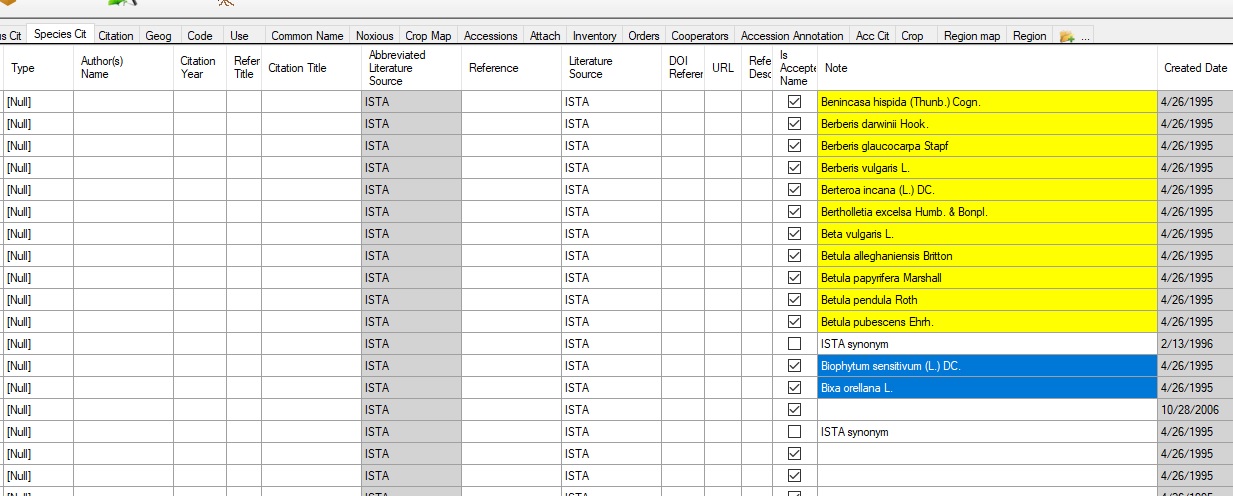
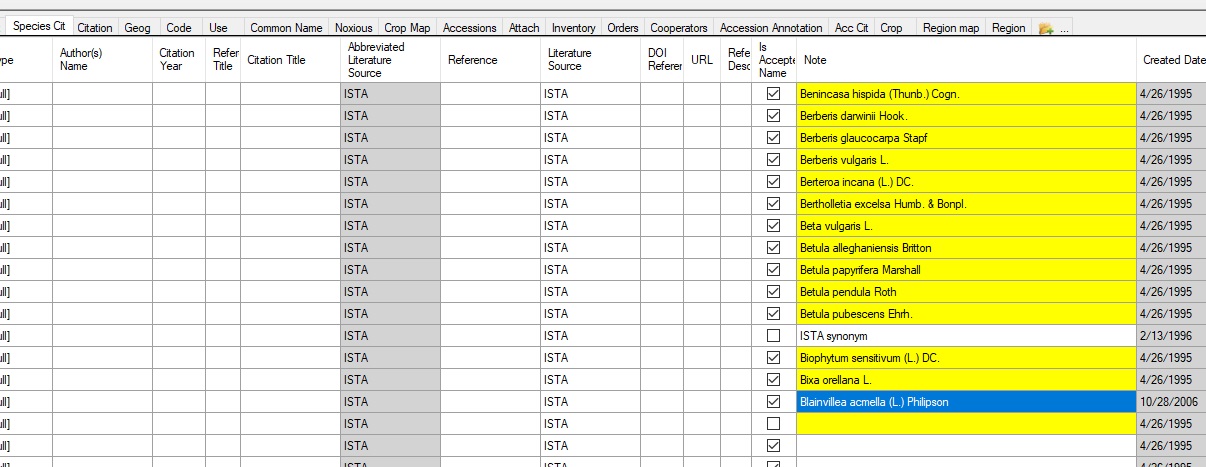
It would be great to have an option to remove the carriage return that Excel appends when cells are copied from a spreadsheet and pasted into GRIN. The carriage return doesn't exist in the cells themselves, but it's added during the copy function and kept if the data are pasted into another application (Excel strips it out if you paste into another Excel spreadsheet). Opening an Excel spreadsheet in Google Docs gets rid of the added carriage return upon copy and paste, so there is a way to work around the issue, but you have to know about this trick. It would be nice to be able to directly paste copied cells into the CT without having data in the next row down deleted by the hidden carriage return.

Attachments (6)

ISTA paste 1.jpg​ (255.7 KB ) - added by Melanie Schori 9 years ago.
ISTA paste 2.jpg​ (243.8 KB ) - added by Melanie Schori 9 years ago.
CT paste 1.jpg​ (180.5 KB ) - added by Melanie Schori 9 years ago.
CT paste 2.jpg​ (168.4 KB ) - added by Melanie Schori 9 years ago.
CT paste 3.jpg​ (212.5 KB ) - added by Melanie Schori 9 years ago.
CT paste 4.jpg​ (209.7 KB ) - added by Melanie Schori 9 years ago.

Download all attachments as: .zip

Change History (7)

by Melanie Schori, 9 years ago

Attachment: ISTA paste 1.jpg​ added

by Melanie Schori, 9 years ago

Attachment: ISTA paste 2.jpg​ added

by Melanie Schori, 9 years ago

Attachment: CT paste 1.jpg​ added

by Melanie Schori, 9 years ago

Attachment: CT paste 2.jpg​ added

by Melanie Schori, 9 years ago

Attachment: CT paste 3.jpg​ added

by Melanie Schori, 9 years ago

Attachment: CT paste 4.jpg​ added

comment:1 by Lisa Burke, 4 years ago

Ticket reviewed and still relevant.

Last edited 4 years ago by Lisa Burke (previous) (diff)
Note: See TracTickets for help on using tickets.