
Opened 8 years ago
Closed 8 months ago
#1779 closed defect (wontfix)
Order Wizard Screen Display Truncates
| Reported by: | Martin Reisinger | Owned by: | Pete Cyr |
|---|---|---|---|
| Priority: | major | Milestone: | CT (TBD) |
| Component: | CT Order Wizard | Version: | N/A |
| Severity: | 1 -- Low Effort | Keywords: | interface, usability |
| Cc: | Database Engine: | N/A | |
| Operating System: | N/A |
Description (last modified by )
On the same PC, under Windows 10, two versions of the CT were run under the same conditions, back to back. One version was 1.9.8.14; the other was 1.9.8.29. There are no display issues in the 32-bit version (1.9.8.14).
However, in the 64-bit version (version…29), the Order Wizard screen does not display properly. The right and bottom edges are cut off. This creates issues for the user. For example, the user cannot use the Printing Dropdown. Also, the user cannot scroll down to see the items in their item grid.
One workaround is for the user to reduce their monitor resolution via Windows, but then their other applications are not readable due to the smaller fonts.
The attached doc file shows the two versions' Order Wizard screens running under the same conditions (other than the versions).
Attachments (5)
Change History (12)
by , 8 years ago
| Attachment: | Order Wizard Display Issue between versions.docx added |
|---|
comment:1 by , 8 years ago
| Summary: | Order Wizard Screen Diisplay Truncates → Order Wizard Screen Display Truncates |
|---|
comment:2 by , 8 years ago
| Description: | modified (diff) |
|---|
comment:3 by , 8 years ago
| Priority: | medium → major |
|---|
by , 8 years ago
| Attachment: | wide_screen_not_wide_enouh_2019-04-18_15-34-08.jpg added |
|---|
comment:4 by , 7 years ago
The native resolution of virtually all monitors and laptops sold since 2012 support 1080p 'High Def' mode which is 1920x1080 (1920 pixels wide by 1080 pixels tall). The Order Wizard has a default window size of 1000x721 which easily fits in all bare minimum 'High Def' standard displays available today. The problem captured in this ticket is the result of increasing the Windows 10 display settings 'zoom' factor which reduces the 'effective physical display resolution to something less than standard 'High Def' 1080p resolution. It is infeasible to reduce the size of the Order Wizard to accommodate high magnification (zoom) settings applied to 1080p displays.
It is unclear what solution the requestor would like the software developers to undertake in an effort to resolve this issue.
by , 9 months ago
| Attachment: | OrderWizardPresentationHDMI.png added |
|---|
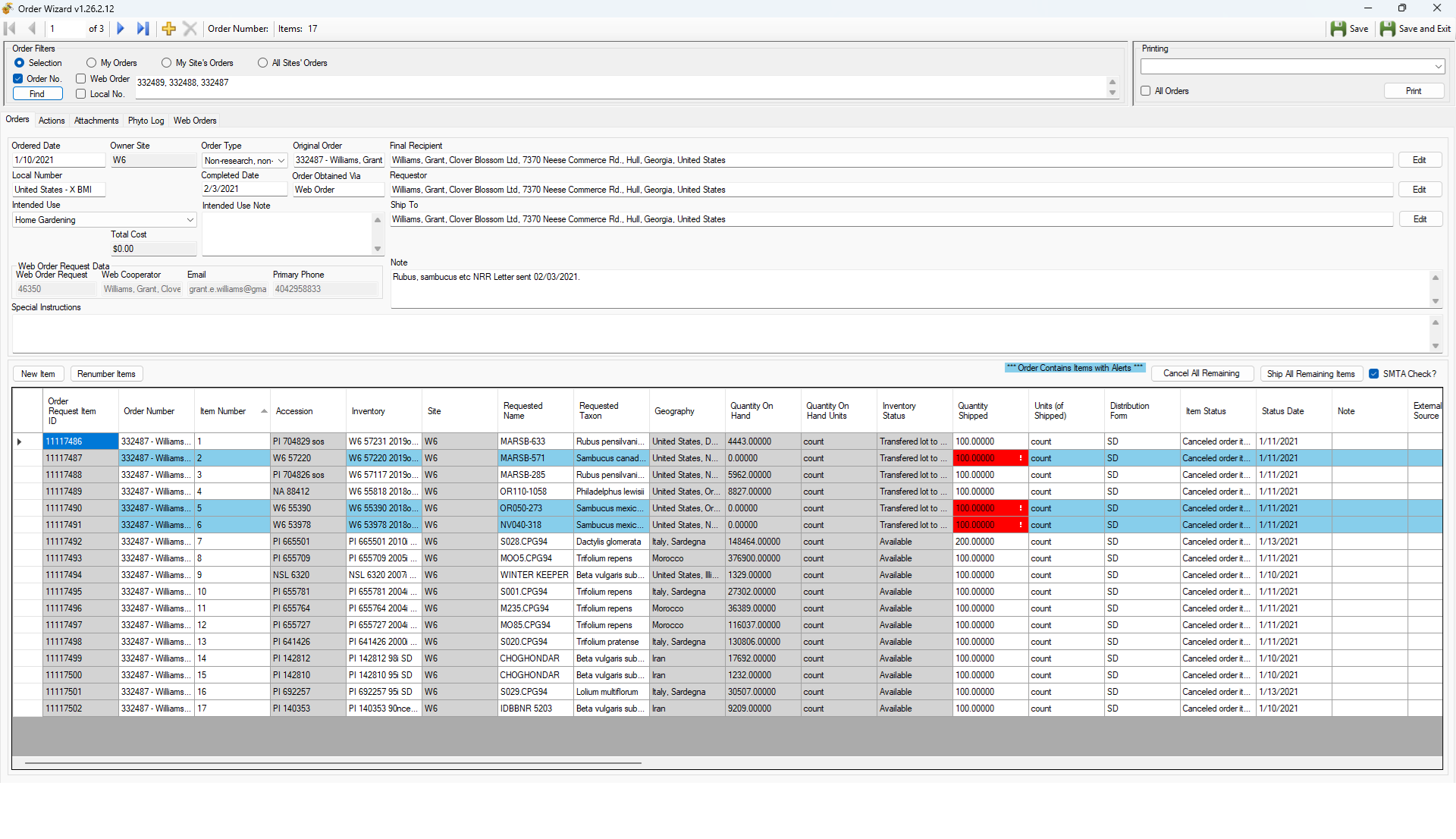
3 orders displayed in the Order Wizard using an HDMI monitor (1920x1080)
comment:5 by , 9 months ago
| Severity: | → 1 -- Low Effort |
|---|---|
| Status: | new → addressed |
I have attached a screenshot of the Order Wizard displaying 3 orders on an HDMI monitor (1920x1080 resolution). Unless there are still objections, I would propose that we close this ticket as no longer relevant given the standard resolution available on virtually all desktop and laptop devices is a minimum of 1920x1080.
comment:6 by , 8 months ago
The underlying issue has never been tackled and still exists. While it is true that many more rows can be seen with a higher resolution, the font size then is too small for many users to comfortably work. Coincidentally, a user wrote this morning asking if they could increase their font size for the Curator Tool; this request occurs regularly. They mentioned their colleague also was interested.
The most recent attachment shows a Dell laptop recommendation - 1920x1080, but at 150%. That is comfortable, but then only 3 rows in the OW grid display at a full window. At 100% many more rows are visible, but the screen font size creates eye strain.
After 7 years, I agree the ticket should be closed, as no change will be implemented.
by , 8 months ago
| Attachment: | pc_mfr_recommended_resolution.png added |
|---|
by , 8 months ago
| Attachment: | ow_fullscreen_150percent_recommended_2026apr09.png added |
|---|
comment:7 by , 8 months ago
| Resolution: | → wontfix |
|---|---|
| Status: | addressed → closed |




I changed the severity to major. As more users will be using the 64-bit version of the CT, and more and more people are using laptops or screens with higher resolutions, the severity of this issue is compounding.
Because of its size, the Viability Wizard screen's issue was demonstrated previously, when the VW was initially released. (The multiple test lines were not available to the user because of the VW's window "height.")
Now, with the 64-bit CT version, this is a major issue with the Order Wizard which of course is being used by many more people.
As reported previously, tablets are also problematic with the CT. Multiple technical people attempted to resolve one user's issue in a training workshop