
Opened 7 years ago
Closed 8 months ago
#1901 closed defect (wontfix)
Order Wizard Screen Needs to be More Scrollable
| Reported by: | Martin Reisinger | Owned by: | Pete Cyr |
|---|---|---|---|
| Priority: | medium | Milestone: | CT (TBD) |
| Component: | CT Order Wizard | Version: | N/A |
| Severity: | 1 -- Low Effort | Keywords: | interface, usability, window-sizing, scrolling |
| Cc: | Database Engine: | N/A | |
| Operating System: | N/A |
Description
With more and more PCs (especially laptops), having a wide screen format, viewing the Order Wizard screen becomes a repitious task. Whenever I open the Order Wizard, I must reduce the height of the windowin order to see the bottom order request items grid. The bottom items grid can only display a few items, and requires extensive scrolling to see additional items.
In last week's GG team meeting, a discussion ensued in which the developer suggested the possibility of adding another sub panel below the items grid to display the order rquest items actions - this will compound the issue.
An alternative was also discussed at the meeting. It might be worth exploring to see how pop-ups could be implemented to pull out some of the screen material when a context menu is used, rather than increase th elength of the default window.
Attachments (5)
Change History (17)
comment:1 by , 7 years ago
by , 7 years ago
| Attachment: | save_option_not_visible2019-08-22_10-35-00.jpg added |
|---|
comment:2 by , 7 years ago
The Other Options is problematic as well with screen size. In the attachment, the user cannot see the Save User Settings Now button.
comment:3 by , 6 years ago
| Status: | new → addressed |
|---|
Addressed in CT v1.21.5.17
Tweaked the Order Wizard to preserve as much space as possible to help minimize the scrolling in the order_request_items datagridview - there is nothing more that can be done to the current interface of the Order Wizard. Alternative recommendation is to increase the resolution of the display to allow more screen room.
comment:4 by , 5 years ago
| Resolution: | → wontfix |
|---|---|
| Status: | addressed → closed |
There is no discernible difference in this release. Developer indicates that nothing can be done. So the ticket is closed, but the issue has not been addressed.
Users cannot change their monitor's resolution (recommnded by the manufacturer) to accommodate one program, making all of the other programs unreadable.
Large screens of data should be designed in such a way that users with different monitors can read the screens effectively. If a user can run the CT, but not ever access the Edit button, then that is an issue. (This is being used as an example - does not pertain to the Order Wizard, but illustrates the point that the CT and wizards need to have screens that accommodate monitors and typical resolutions.)
comment:5 by , 5 years ago
Marty... For the record (in case future versions of Windows OS and/or .NET Frameworks can accommodate adaptive screen technology) - what resolution and or zoom factor were you hoping to see addressed in this ticket? Thanks!!!
comment:6 by , 5 years ago
To the question: "what resolution and or zoom factor were you hoping to see addressed in this ticket?" I have no idea, especially since each PC has its own native resolution.
When a user uses a browser, he/she can change the view as desired. In non-browser applications, such as Excel or Word, the app can be expanded or contracted using the ZOOM scale in the App's taskbar.
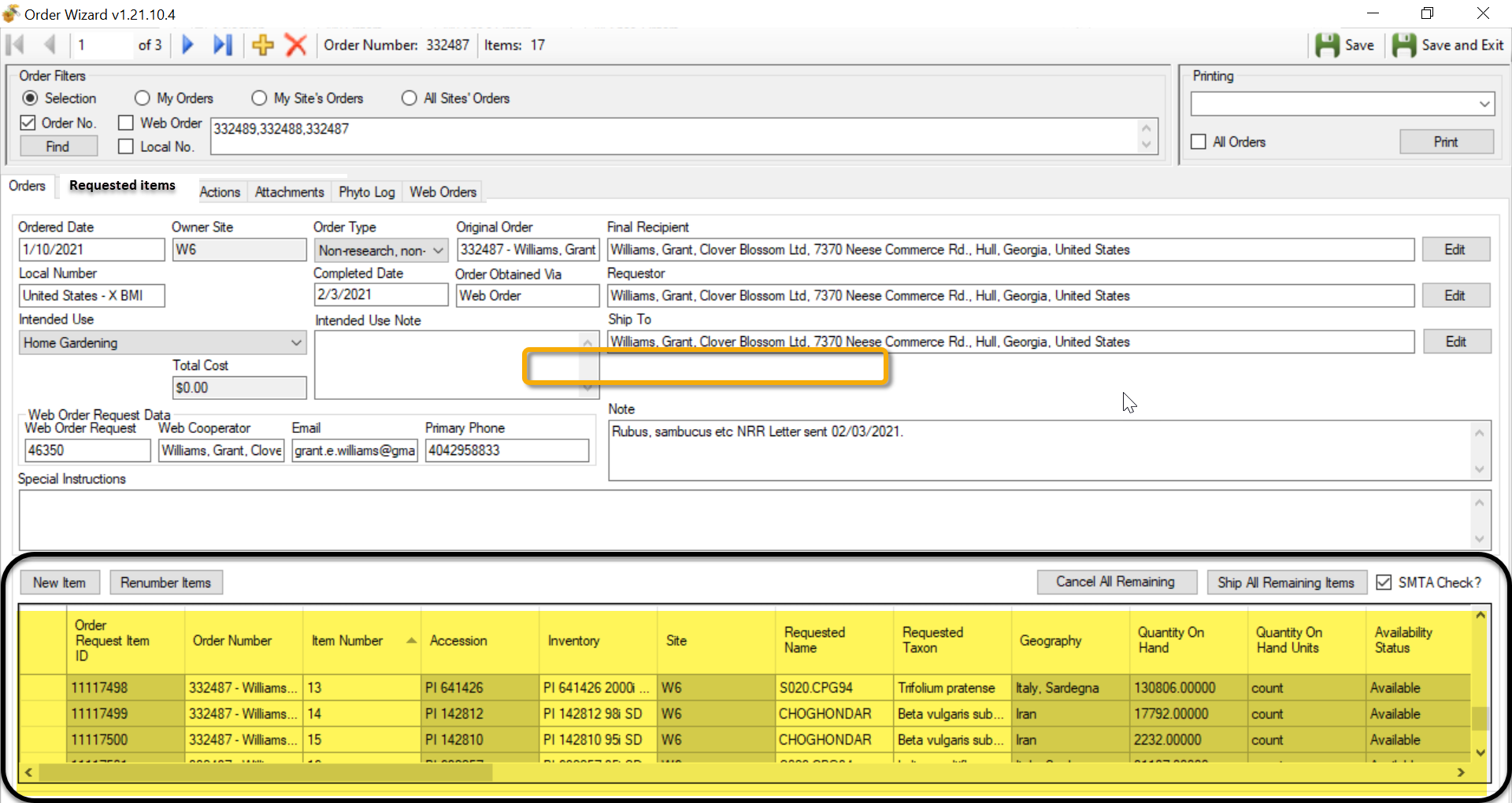
In the current CT's non-responsive environment, the wizard or screen should be designed so that all or more material is visible. For example, use more tabs - such as the Order Wizard's 5 tabs. Fortunately the tasks were broken into 5 areas, but two more tabes would improve the siuation. When reviewing an order in the wizard, I can literally can only view 3 items at a time, even when the screen is maximized. (On an order with hundreds or thousands of requested items, this is a real nuisance.)
The OW should have an Order Header tab, and also an Order Items List tab. Same with the Web Orders - spit the web order into two tabs. (Attached image show the 3 items being displayed.)
by , 5 years ago
| Attachment: | ow_jun2021_3itemsshown.jpg added |
|---|
comment:7 by , 5 years ago
| Type: | enhancement → defect |
|---|
I reopened this ticket again because in the current order I am reviewing, I can only see three of the many requested items. This was illustrated previously with an attachment to this ticket; I just added another. By moving the requested items grid to its own tab, or even its own window, the functionality would be greatly improved. It is a royal pain to need to scroll both horizontally and vertically because of the current limitations.
comment:8 by , 5 years ago
| Resolution: | wontfix |
|---|---|
| Status: | closed → reopened |
by , 5 years ago
| Attachment: | order items grid.png added |
|---|
comment:9 by , 5 years ago
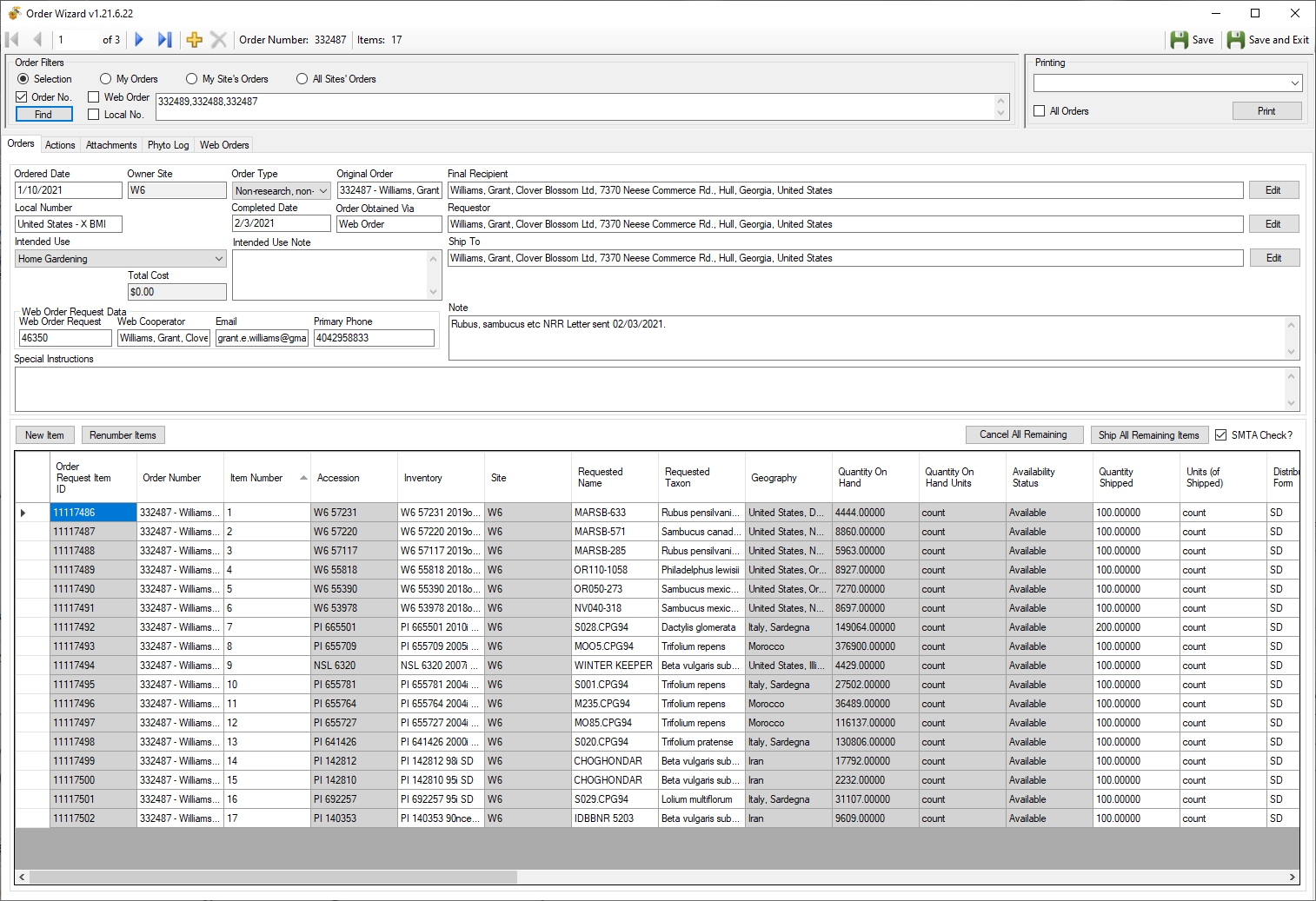
Marty... Thanks for the feedback on the Order Wizard display behavior. This request will be prioritized along with all other requests for the Curator Tool. Until this request can be addressed please consider increasing your screen resolution to enable you to see more columns and rows in the Order Wizard items datagridview. (see attached image for an example of what the Order Wizard looks like with your previous screenshot example data on my Surface Pro 3 with native screen resolution)
by , 5 years ago
| Attachment: | SurfacePro3OrderWizardScreenshot.png added |
|---|
by , 9 months ago
| Attachment: | OrderWizardPresentationHDMI.png added |
|---|
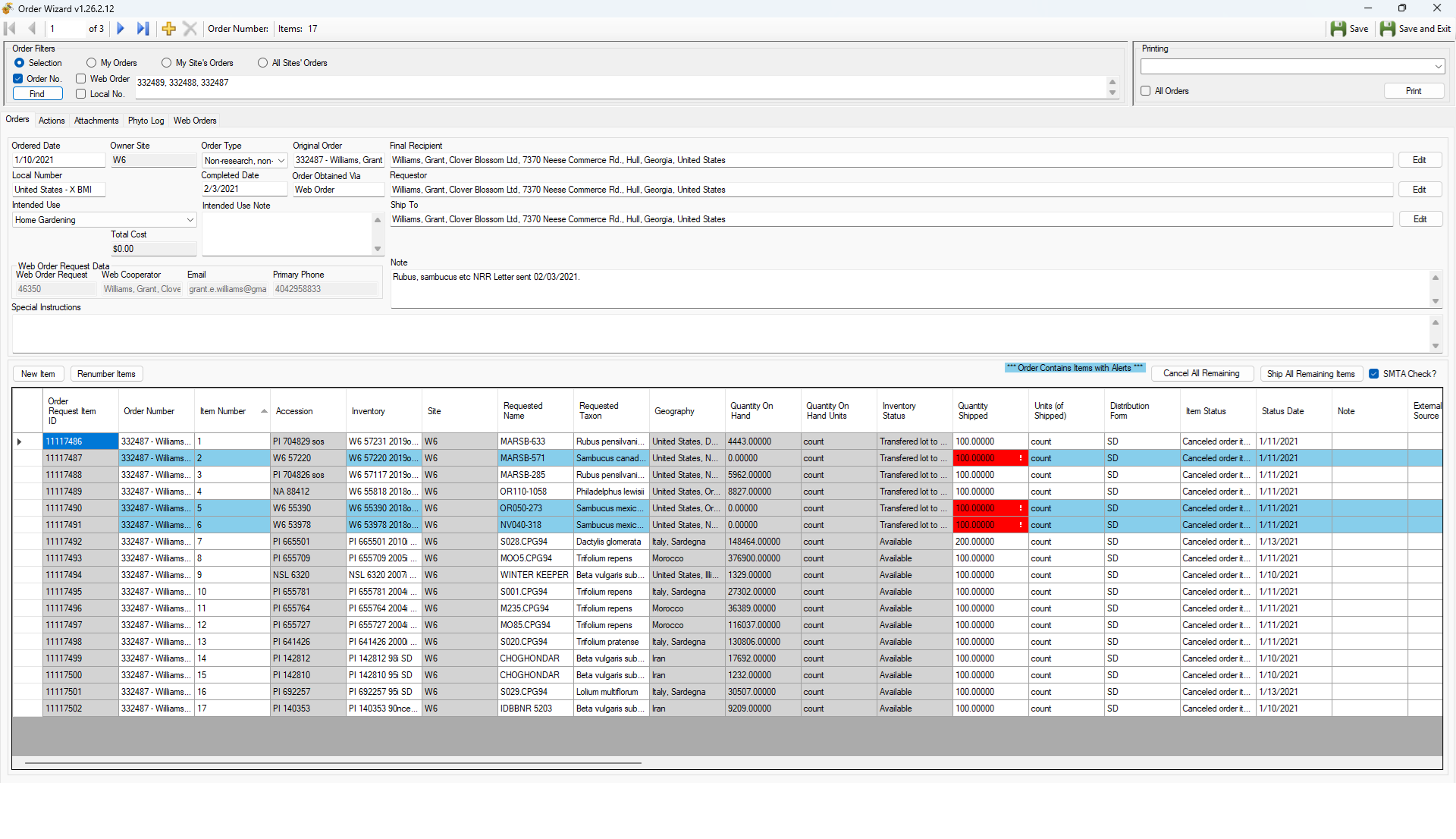
3 orders displayed in the Order Wizard using an HDMI monitor (1920x1080)
comment:10 by , 9 months ago
| Severity: | → 1 -- Low Effort |
|---|---|
| Status: | reopened → addressed |
I have attached a screenshot of the Order Wizard displaying 3 orders on an HDMI monitor (1920x1080 resolution). Unless there are still objections, I would propose that we close this ticket as no longer relevant given that the standard resolution for virtually all desktop and laptop devices is a minimum of 1920x1080 - which as demonstrated in the last image attachment is plenty big enough to navigate the Order Wizard.
comment:12 by , 8 months ago
| Resolution: | → wontfix |
|---|---|
| Status: | addressed → closed |




It would be nice to also make the default CT window less high. Laptop users with high resolutions, whenever they open the CT, must resize the window because the bottom is not visible and is below the screen.