
Opened 16 years ago
Closed 13 years ago
#441 closed defect (fixed)
Geography List Object does not take effect on new folder until a refresh is peformed with objects
| Reported by: | Mark J. Millard | Owned by: | Pete Cyr |
|---|---|---|---|
| Priority: | major | Milestone: | Release Candidate 2 |
| Component: | Curator Tool | Version: | 1.0.3868 |
| Severity: | Keywords: | list object format | |
| Cc: | pete.cyr@… | Database Engine: | N/A |
| Operating System: | N/A |
Description
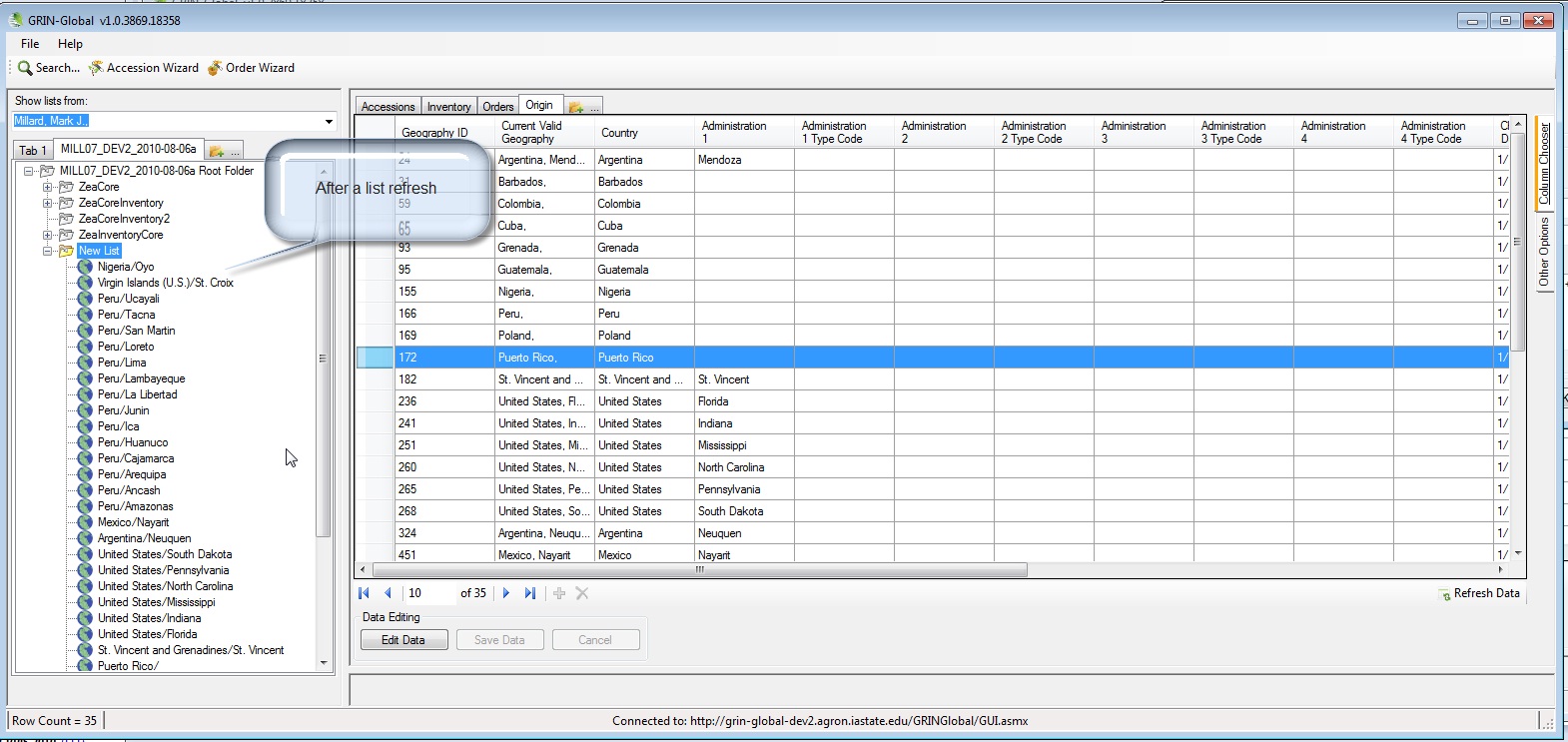
I created a format for the geography list object and for a group of accessions dragged over the items to a list. The format was the default {get_geography.g.country_code} + "/" + {get_geography.adm1}
Then I dragged over some geography records from the data view. The format was the same as the default until I did a refresh.
Attachments (3)
Change History (7)
by , 16 years ago
| Attachment: | Immediate List Format Problem_2010-08-06.jpg added |
|---|
by , 16 years ago
| Attachment: | Immediate List Format ProblemAfterRefresh_2010-08-06.jpg added |
|---|
comment:1 by , 16 years ago
| Status: | new → addressed |
|---|
comment:2 by , 16 years ago
| Status: | addressed → released |
|---|
comment:3 by , 16 years ago
| Cc: | added |
|---|
Still having a problem in version v1.0.3893.5929 although it may be a different problem. Now I do not see the country at all in the default list. I am attaching an image to clarify.
by , 16 years ago
| Attachment: | Ticket441_additional_info-2010-08-29.jpg added |
|---|
Now Country does not show up on default geography list object
comment:4 by , 13 years ago
| Resolution: | → fixed |
|---|---|
| Status: | released → closed |
Note:
See TracTickets
for help on using tickets.




After a drag but with the format changed. Does not appear to take